IO-Link Collector
Plug in your IO-Link smart sensors and get named, scaled engineering values with zero per-sensor configuration. Connect your IO-Link masters — and the sensors and actuators behind them — and stream their process data straight into your fleet database. Everything is configured in the browser: no coding, no redeployment, no downtime.
The app works over three transports, selected per master: HTTP/REST (the ifm IoT Core API, the vendor-neutral IO-Link Community JSON standard that Balluff masters implement, and a generic configurable-REST dialect for anything else), OPC UA (e.g. the OPC UA IO-Link Companion Spec), and MQTT (e.g. Pepperl+Fuchs). The OPC UA and MQTT transports are subscription-based — values are pushed as they change. Whichever the transport, connected sensors are decoded automatically from their IODD — raw process data becomes named, scaled engineering values with no per-sensor setup.
Why this app
Automatic sensor discovery. Point the app at an IO-Link master and it probes every port, detecting which sensors are connected and reading their device id, vendor id and product name. Each connected port becomes a datapoint automatically.
Automatic IODD decoding — named, scaled values with no mapping. This is how the app works out of the box. It recognizes every connected sensor and turns its raw process data into finished engineering values on its own — looking up the sensor’s official IODD (IO-Link Device Description) on the public IODD Finder, with no account and no API key, and decoding each value with the correct name, scaling and unit. Plug in a sensor and its temperature in °C, pressure in bar or distance in mm simply appear. For offline or air-gapped gateways you can paste an IODD into the built-in catalog and the same decoder uses it (a pasted IODD always wins over a fetched one).
Hot-plug aware. Swap a sensor, unplug one, or add a new one, and the app notices automatically — it re-discovers the master and updates the datapoint catalog without a restart.
Store only what matters. Pause individual datapoints, or switch on store-on-change so a value is recorded only when it actually changes — keeping noisy or fast-cycling signals from bloating your database.
Supported masters, transports & sensors
All discovery, hot-plug and IODD/process-data decoding is shared across every transport; the Master Type setting only picks how the app reaches a given master.
Transports
| Master Type | Transport | API / source |
|---|---|---|
ifm | HTTP / REST (poll) | ifm IoT Core REST (getdatamulti) — ifm AL-series and compatible masters |
iolink_json (default) | HTTP / REST (poll) | IO-Link Community “JSON for IO-Link” standard (/iolink/v1/...) |
balluff | HTTP / REST (poll) | Balluff masters — they implement the JSON for IO-Link standard |
generic | HTTP / REST (poll) | Configurable per-port REST — any master exposing HTTP URLs |
opcua | OPC UA (subscription/push) | OPC UA servers exposing IO-Link data, e.g. the OPC UA IO-Link Companion Spec |
mqtt | MQTT (subscription/push) | Masters/gateways publishing to a broker, e.g. Pepperl+Fuchs ICE2/ICE3 |
Turck (TBEN / FEN) masters expose IO-Link over Modbus/TCP and fieldbus rather than any of these — use the Modbus Collector for those.
Master vendors
- ifm — IoT Core REST (AL13xx / AL19xx / AL11xx and compatible); all ports read in one batched request per cycle.
- Balluff — BNI (current firmware) and CMTK, via the JSON-for-IO-Link standard.
- Pepperl+Fuchs — ICE2 / ICE3, via MQTT (or OPC UA).
- Any master that implements the IO-Link Community JSON standard, exposes an OPC UA server, publishes to MQTT, or offers per-port REST URLs (
generic).
IO-Link sensors & process-data decoding
- Automatic per-port discovery: device id, vendor id, product name.
- Hot-plug detection with automatic re-discovery — no restart.
- Automatic IODD decoding — keyless auto-fetch from IODD Finder plus a manual IODD paste catalog (a pasted IODD wins over a fetched one).
- Manual YAML decode spec override, per port.
- Decode types:
UINT8/16/32,INT8/16/32,FLOAT32,BOOL. - Byte-aligned and bit-field decoding — e.g. a measured value plus status bits packed into one process-data word (IODD-style).
- Per-value linear scaling (
value = raw × scale + bias) and engineering units. - Raw process-data (hex) passthrough when no decode is configured.
Security & authentication
- OPC UA — security policy (
None,Basic256Sha256,Basic256,Basic128Rsa15), security mode (None,Sign,SignAndEncrypt), and client certificate + private key. - MQTT — TLS, with an optional CA certificate.
- Username / password for OPC UA and MQTT.
What you get
Install the app in your project and assign edge PCs (gateways) to it. Then open the app board, go to the settings view and add a master connection: pick the gateway, choose the master type (default iolink_json), enter the master’s address (a REST URL like 192.168.0.10, an opc.tcp://… endpoint, or an mqtt://… broker depending on the type), and set the collect interval. Connected sensors are decoded automatically from their IODD.
From that moment the app collects from the master — polling HTTP masters at the configured interval, or receiving pushed updates over OPC UA / MQTT — and stores every value in the measurements table of your fleet database. Each reading carries the port’s connection status (plus OPC UA quality and source timestamp, or the MQTT source topic, where available); one row is written per master per cycle, and each master’s live online/offline state is tracked in the assetstatus table. Collected readings are retained for 3 months by default (adjustable).
Manual decode spec (fallback)
Decoding is automatic via IODD, so this is rarely needed — reach for it only when a sensor has no published IODD or you need a custom layout. Put a YAML array in a master’s Datapoints field; each entry maps part of a port’s process data to a named, scaled value.
- label: Temperature
  port: 1
  offset: 0        # byte offset into the port's process data
  length: 2        # number of bytes
  type: INT16      # UINT8/16/32, INT8/16/32, FLOAT32, BOOL
  scale: 0.1       # value = raw × scale + bias
  unit: degC
Bit-field — for a sensor that packs a value and status bits into one process-data word (bits counted from the LSB, IODD-style), e.g. the ifm O5D distance sensor:
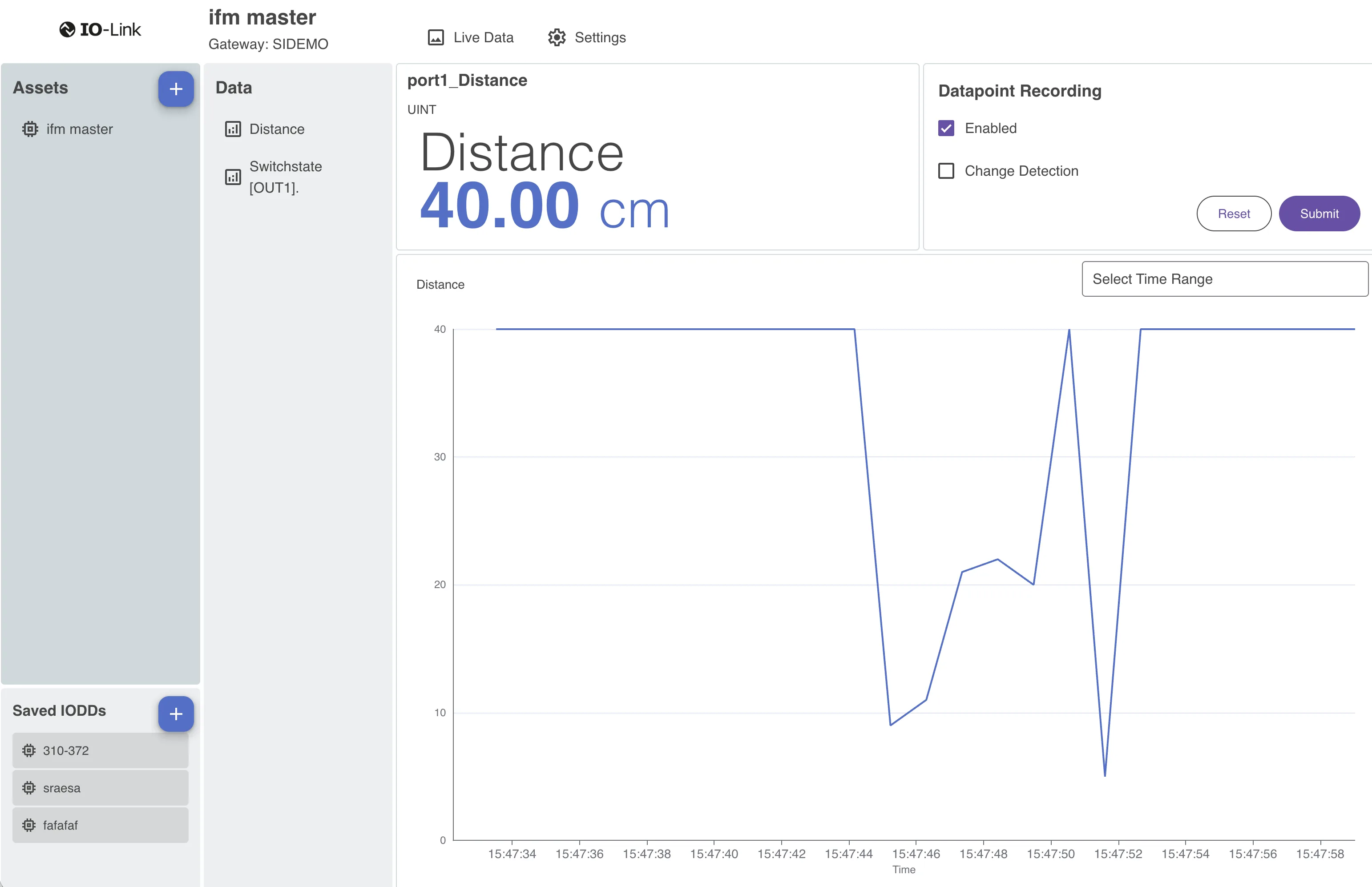
- label: Distance
  port: 1
  type: UINT
  bit_offset: 4
  bit_length: 12
  scale: 10
  unit: mm
- label: OUT1
  port: 1
  type: BOOL
  bit_offset: 0
Common collector features
Like every IronFlock collector, the IO-Link Collector is configured entirely in the browser — add, edit and pause master connections in the built-in app board with no parameter files and no restarts; the form shows only the fields relevant to the chosen transport, and you can attach unlimited masters per gateway, mixing vendors and transports freely. It is reliable at the edge: each master is collected in isolation (one unreachable master never stalls the others), and if the gateway loses its connection to the platform the app keeps reading and buffers locally, then forwards everything in order via efficient bulk catch-up on reconnect (buffer size configurable per gateway, with an optional forward-only mode). And you can try it without hardware: switch any master to demo mode and the app generates realistic sensor data (temperature, pressure, flow, a switch) so you can explore the full experience before connecting real hardware.
Build on your data
The included app board gives you an instant overview of incoming data. For tailored presentations, build custom dashboards that display your IO-Link measurements side by side with data from other apps, query them through the Data Backend, and use the Alarms app to monitor collected values in real time with SMS or email notifications. To bring devices online and install the app, see Device Management and App Management.