Writing Edge Code
IronFlock provides a cloud IDE for editing code, running it on remote devices, and debugging — all from your browser.
App Studio
The App Studio is where you create and manage your apps.
- My apps — Apps you’ve created, both public and private.
- Shared apps — Public apps you’ve been granted development access to.
To create a new app:
- Click CREATE IOT APP.
- Enter an app name.
- Click the + button to confirm.
Click Develop on any app card to open the cloud IDE.
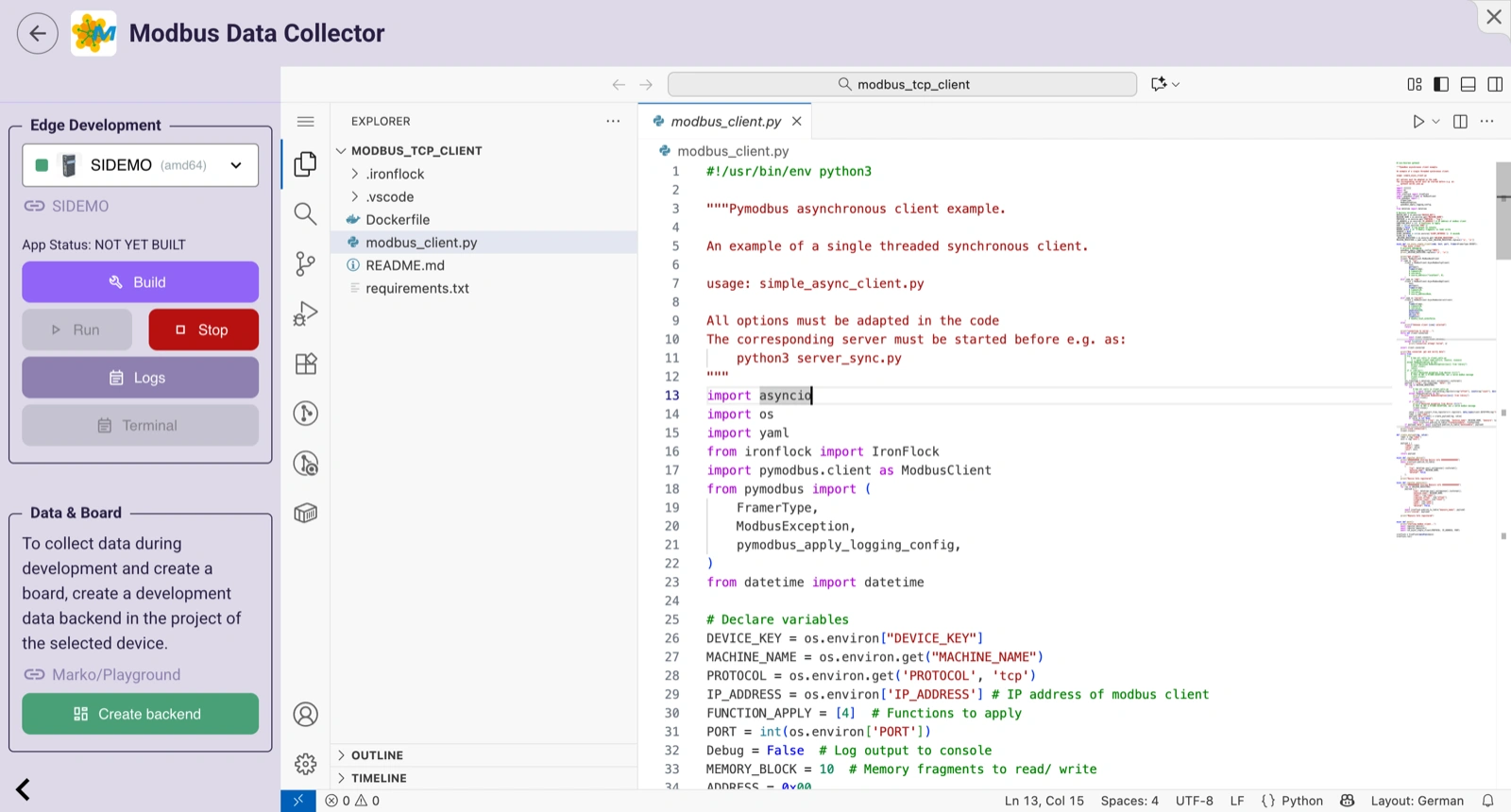
The Cloud IDE
The IDE is a VS Code-based editor running in the cloud. It provides:
- Full code editing with syntax highlighting and autocompletion
- A file explorer for navigating your project files
- An integrated terminal
- Git integration (commit, push, pull, diff)
Two Terminals
The IDE provides two different terminals:
| Terminal | Location | Purpose |
|---|---|---|
| Code editor terminal | Cloud | Runs in your development container, has access to the Git repo |
| Side-menu terminal | Remote device | Logs into the app container running on a connected device |
The side-menu terminal connects to the device without requiring open ports — it tunnels through IronFlock.
Running Code on a Device
- Use the side menu to select a target device (green = online).
- Click Run to build and start the app on that device.
- Click Stop to halt execution.
- Click Logs to view real-time output from the device.
You need Develop privileges on the device to use it for debugging.
Code Workflow
Code editing follows the Git workflow:
- Edit — Make changes in your personal development environment.
- Commit — Save a snapshot of your changes locally.
- Push — Push to the master branch to make changes available to other developers and for releases.
Changes are only visible to other collaborators after you push to master.
Using Your Local Editor
You can use your own editor (VS Code, IntelliJ, Vim, etc.) instead of the cloud IDE:
- Connect the app to an external Git service (GitHub, GitLab, or Bitbucket).
- Clone the repo locally.
- Edit, commit, and push from your machine.
- Use the cloud IDE only for running and debugging on actual devices.
See Git Integration for setup instructions.