App Settings & Parameters
Each installed app can expose configurable settings that let you adjust its behavior without touching any code.
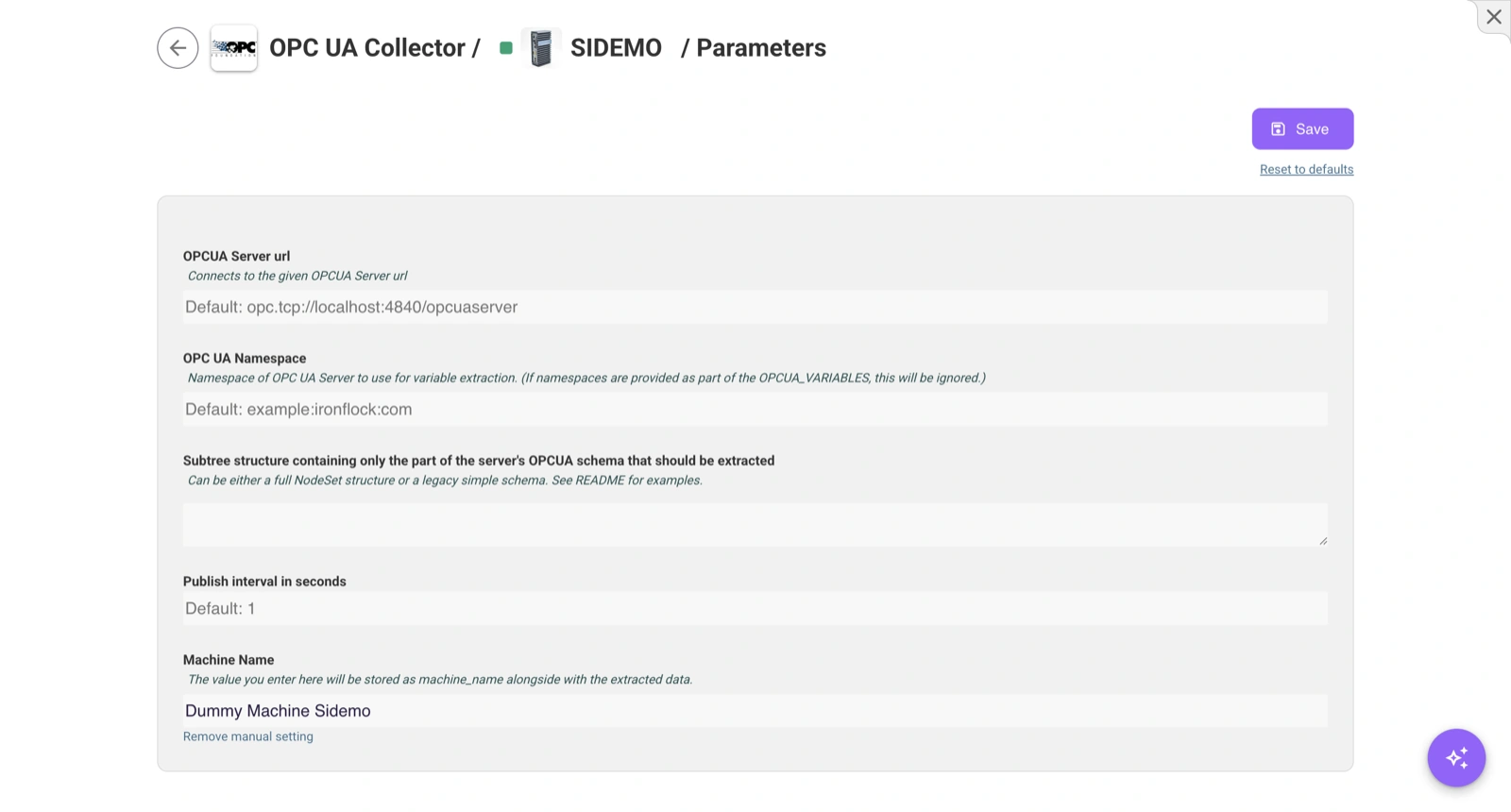
Accessing App Settings
Open a device, find the app in the apps list, and click the settings icon.
Application Parameters
Many apps provide a settings form where you can adjust how the app works on each device. Common examples:
- How often to record sensor data
- Temperature or pressure thresholds for alerts
- Feature toggles (e.g., enable/disable demo data)
- Target endpoints for external integrations
Simply fill in the values and save. The new settings take effect on the device.
Group-Level Parameters
When configuring parameters at the device group level, the values apply to all devices in the group at once. This lets you update settings across hundreds of devices in one action — for example, changing the recording interval on every sensor in a factory.
Parameters can be set even when devices are offline. They are applied when the device reconnects.
Built-in Information
Every app always has access to basic device information:
| Information | Description |
|---|---|
| Device Name | The device’s display name |
| Device Serial Number | Unique, permanent device identifier |
| Project ID | Identifier for the project the device belongs to |
Remote Access Settings
If the app supports remote access (e.g., a web interface on the device), you’ll see a Remote Access section in the app settings. From here you can activate or deactivate secure tunnels to access device services directly from your browser. See Remote Access for details.